
Features
Online time & expense tracking with invoices and reporting is easy with Running Ant Time.
The perfect companion for helping you run and grow your small business.
Coming soon - complete API encompassing the entire functionality available from the website. If you would like to know more please contact us. Supports managing your data such as customers, projects, resources, and users, as well as time & expense entry, invoicing, and reporting.
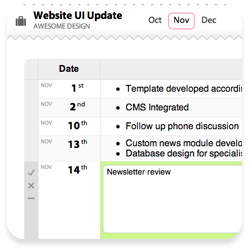
Record Quickly
All time entry is done with the minimum clicks. Accurate time & expense recording is quick and easy. You can even invite your sub contractors to log time directly into your account. This means when you see your Status at a Glance report you know exactly where your profit and costs are sitting for the month.
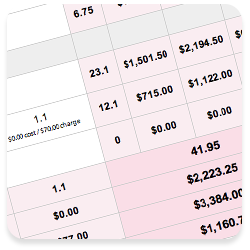
Monitor at a Glance
A concise one-page report shows you all you need to know for how the current month is going. You immediately see who is spending what time and the costs and charges associated with each group of work they have been doing. It couldn't be easier to keep track of each month as it happens. If you are having a good month you see straight away, just as if you are having a bad month you can react quicker and better manage your income.
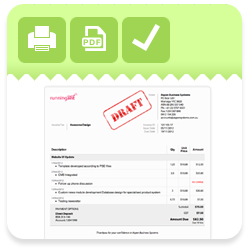
One-click Invoicing
It's not called One-click Invoicing because it takes more than one click. You view an invoice for a customer which automatically generates from all of the time and expenses logged by everyone during the month. If you are happy with it and don't see any need for corrections, then just click the green Tick icon and the invoice is created.
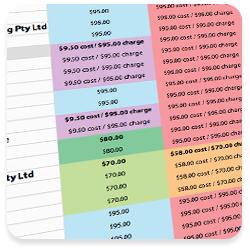
Cascading Resource Rates
Set an hourly cost & charge rates for a resource (such as an employee or subcontractor) and that rate automatically cascades through all projects and customers that resource logs time against. But you can also have different rates apply to specific customers or projects. This allows you to have your resources work at different rates without you or them having to worry about it and it all automatically flows through to the invoices generated.

Invoice Emailing
From the Finance tab you see all invoices you have issued for a given month. An invoice from there can be emailed to a customer and you can track when they have paid and when you have paid any of the costs associated with the invoice. The content and format of the email is customizable as is the subject and you can even use smart tags in the emails for invoice or customer specific information so an invoice is personalized for each customer automatically.
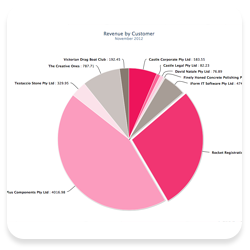
Beautiful Visualizations
Keep track of your business with clear and useful charts. Report on how your revenue and profit are tracking over time, see customer revenue comparisons, and keep informed on hour comparisons for users.